
Animations
Animations link an element to a tag without code. The Animations tab is in the inspector.
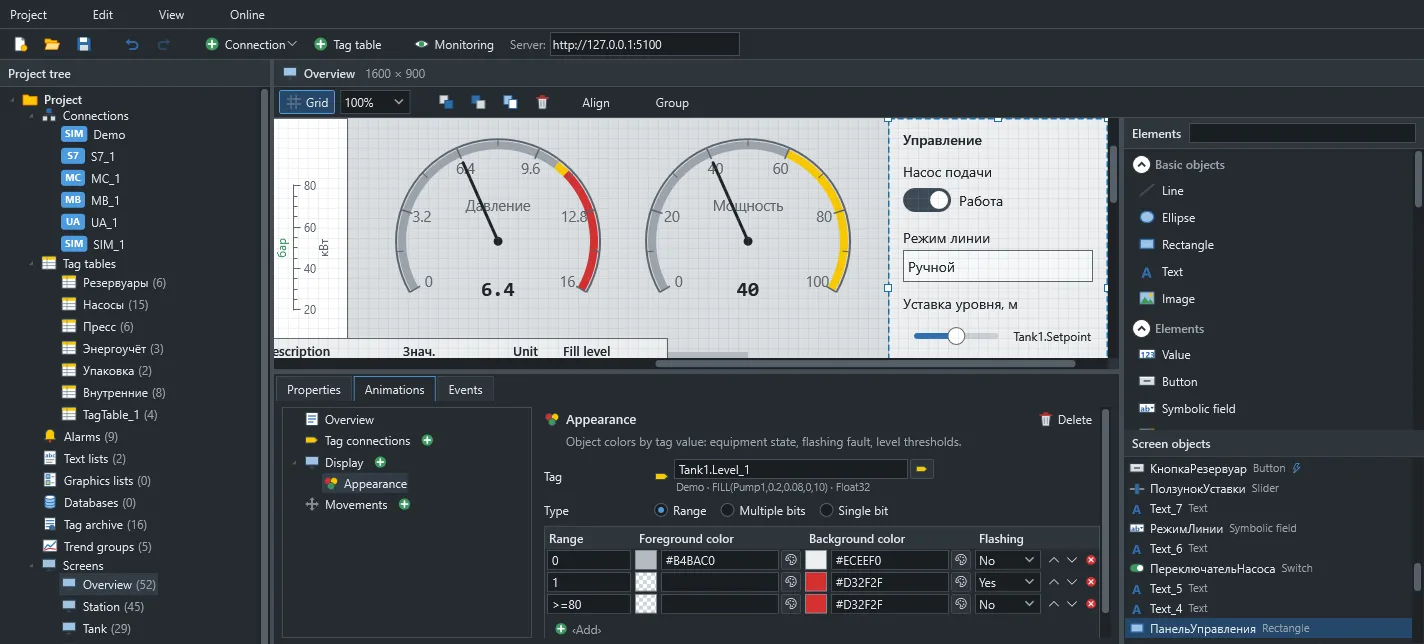
Appearance
Section titled “Appearance”The outline or text colour, the fill colour and blinking follow a tag’s value. The first matching row from the top applies. Row types:
| Type | Row value |
|---|---|
| Range | 5, 1-5, 1..5, >80, >=80, <0, <=0 |
| Single bit | 0 or 1; the bit number is set on the animation |
| Multiple bits | A bit number; the first row whose bit is set applies |
Visibility and enabling
Section titled “Visibility and enabling”An element is shown or enabled when a condition holds. The Range and Single bit types are available, and the condition can be inverted.
Movement
Section titled “Movement”- Range-based: a tag value between from and to moves the object from its start position to its end position.
- Direct: two tag values set the X and Y offsets.
An object can have one movement.
Substitution in genies
Section titled “Substitution in genies”Animation tags can contain parameters such as %Tag%.Run. See Genies.