Genies
A genie is a named drawing whose string properties contain %Name% substitutions. One genie serves every instance of a piece of equipment.
Creating one
Section titled “Creating one”Create a genie in the project tree, draw the equipment and put a substitution such as %Tag%.Run in its tag fields. Parameters need no separate declaration: they are all the %…% names found in the elements.
Placing it
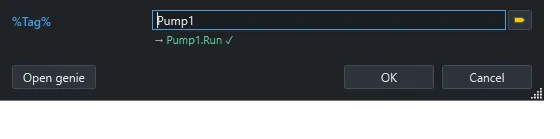
Section titled “Placing it”Drag the genie onto a screen and set its parameters. A value can be a prefix (Pump1, so %Tag%.Run becomes Pump1.Run) or a full tag name. Double-click an instance to open its parameters.
Control window
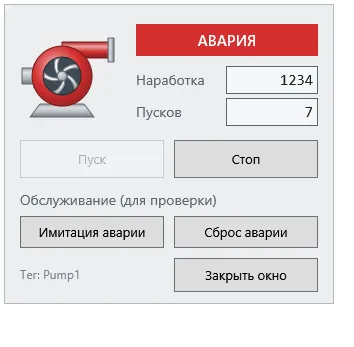
Section titled “Control window”The ShowGeniePopup function opens a genie in a pop-up with substitutions:
Genie: PumpControlSubstitutions: Tag=Pump1; Title=Pump 1From a script:
HMI.SysFct("ShowGeniePopup", "PumpFace", "Tag=Pump2; Title=Pump 2");