
Runtime and service
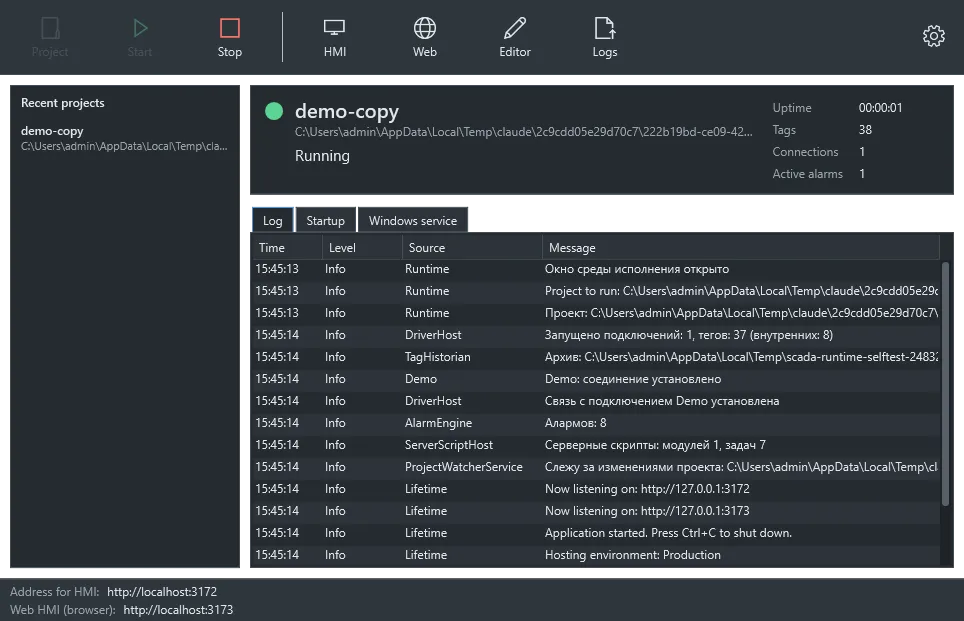
ScadaRuntime.exe runs a project and shows its log. This is also where you set the project, ports and autostart.
Settings
Section titled “Settings”| Setting | Default |
|---|---|
| gRPC port (HMI, editor) | 5100 |
| HTTP port (browser, diagnostics) | 5101 |
| Listen on all interfaces | Yes |
| Apply project edits while running | Yes |
| Minimize to tray on close | Yes |
| Start with Windows, start runtime on open, open HMI | No |
Settings are stored in %ProgramData%\Scadora\runtime.json.
Windows service
Section titled “Windows service”Use the service where the server runs with nobody signed in. Install it from the installer or the runtime window. It runs the project selected there on the same ports and restarts after failures.
sc query ScadoraFirewall
Section titled “Firewall”The server creates a Scadora rule for its network ports when it has administrator rights, as the service does. Turn this off with Scada:ManageFirewall=false.
Diagnostics
Section titled “Diagnostics”| Address | What it shows |
|---|---|
http://server:5101/health |
Server status |
http://server:5101/api/tags |
Tag values |
Logs are in %ProgramData%\Scadora\logs, one file per day.
Server parameters
Section titled “Server parameters”appsettings.json sits next to the program. Runtime window settings override it, and command-line parameters such as --Scada:ProjectPath=D:\Project override everything.