
Server scripts
Server scripts run on the server with no operator: counters, schedules, interlocks, sequences. They are started by tasks or from a screen through HMI.RunServerScript.
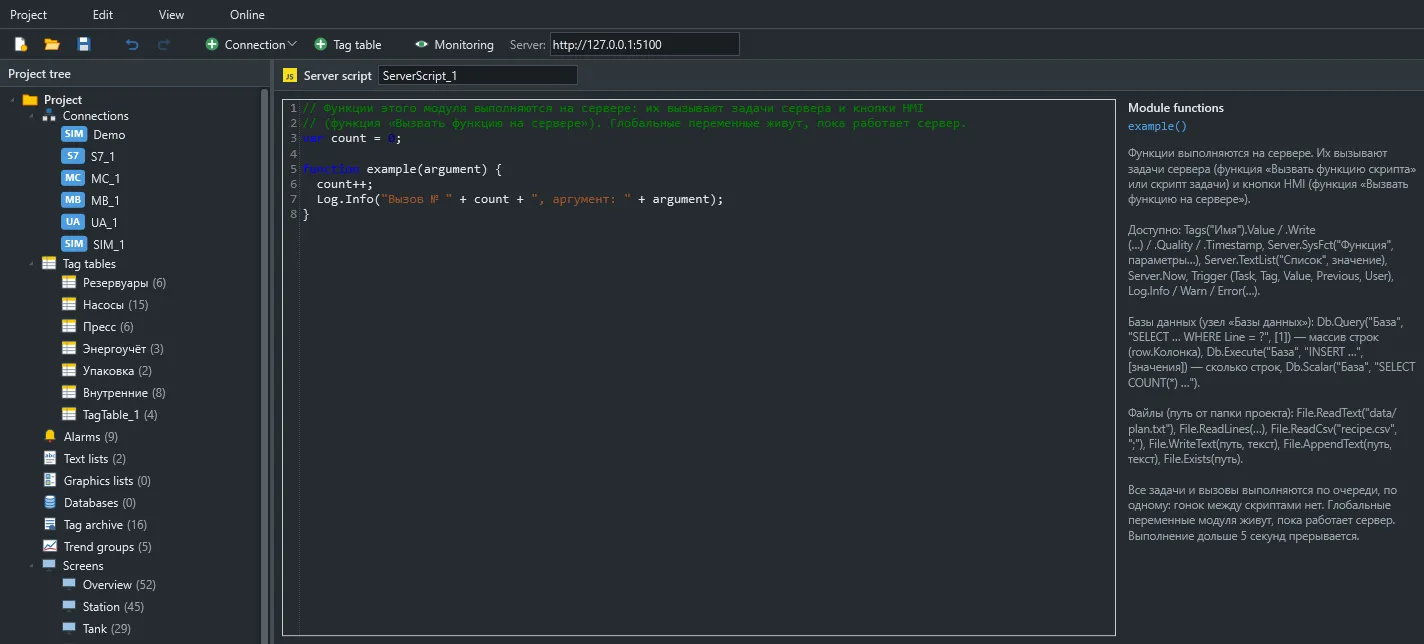
How they run
Section titled “How they run”- All scripts and tasks run one at a time on a single thread, like a PLC scan, so they cannot race each other.
- Module globals last as long as the server runs. They start over after a restart or when a new project version is applied.
- Tag writes and system functions run in order after the script.
- Each run gets 5 seconds, 2,000,000 statements, recursion depth 256 and 64 MB of memory.
- The queue holds 10,000 runs. When it is full, new ones are dropped.
Standard JavaScript is available. setTimeout, fetch and require are undefined. For repetition, use an Interval task.
A script error does not stop the server: it is logged and queued writes are cancelled.
| Member | Description |
|---|---|
Tags(name).Name |
Tag name |
.Value |
The value; null if quality is bad or there is no value |
.Read() |
Same as .Value |
.Quality |
Quality: Good, Uncertain, Bad, CommFailure, NoData and others |
.Timestamp |
Change time, ISO 8601, UTC |
.Write(value) |
Write after the script |
Unlike on the client, .Value on the server is null after communication is lost. Allow for this in comparisons.
The Server object
Section titled “The Server object”| Member | Description |
|---|---|
Server.Now |
Local server time as ISO text: 2026-11-09T15:30:00 |
Server.TextList(list, value) |
Text from a text list |
Server.SysFct(name, ...args) |
A system function by name, after the script |
The server runs tag and bit functions (except SetBitWhileKeyPressed and InputValue), calculations, AcknowledgeAllAlarms, AcknowledgeAlarm and RunScript. Window and screen functions do not work there, as the server has no windows.
Server.SysFct("IncreaseValue", "Counter", 1, 1000);Server.SysFct("LinearScaling", "Tank1.Percent", "Tank1.Level", 0, 10, 0, 100);Writes from server scripts are made under the user name Сервер.
| Method | Level |
|---|---|
Log.Info(text), console.log(text) |
Information |
Log.Warn(text), console.warn(text) |
Warning |
Log.Error(text), console.error(text) |
Error |
Entries appear in the runtime window and in the files under %ProgramData%\Scadora\logs.
What started the script
Section titled “What started the script”The Trigger object describes what started the script.
| Field | Description |
|---|---|
Trigger.Task |
Task name or kind of start |
Trigger.Tag |
The tag for Tag change and Condition tasks |
Trigger.Value |
New value |
Trigger.Previous |
Previous value |
Trigger.User |
The user, if called from a screen; otherwise Сервер |
While a module loads, Trigger is null.
Calling from a screen
Section titled “Calling from a screen”function startSequence(recipe) { Log.Info(Trigger.User + " started recipe " + recipe); Tags("Seq.Recipe").Write(Number(recipe)); Tags("Seq.Start").Write(true);}// a button script on a screenHMI.RunServerScript("startSequence", "3");The argument is always passed as text.
An on-screen table from a function
Section titled “An on-screen table from a function”A Table element with a function source shows what the function returns: an array of arrays or an array of objects. In the second case, columns come from the first row’s properties.
function ordersTable() { return Db.Query("Journal", "SELECT Name, Qty FROM Orders");}Databases and files
Section titled “Databases and files”var rows = Db.Query("Journal", "SELECT * FROM Events WHERE Id > ?", [100]);rows.forEach(function (row) { Log.Info(row.Text); });| Method | Result |
|---|---|
Db.Query(base, sql, params) |
Array of objects: row.Name, row["Column name"] |
Db.Execute(base, sql, params) |
Number of changed rows |
Db.Scalar(base, sql, params) |
First value of the first row |
Parameters replace ? and can be passed as an array or as arguments. Always use parameters rather than joining strings. Dates come back as ISO text and binary fields as Base64.
File access is covered in Tasks, databases, files.