
Tags
Tags are grouped into tables. A table just organizes tags and is not tied to a connection.
Tag fields
Section titled “Tag fields”| Field | Meaning |
|---|---|
| Name | Unique name used everywhere |
| Connection | Empty means an internal tag |
| Type | Bool, Byte, Int16, UInt16, Int32, UInt32, Float32, Float64, String |
| Address | In the connection’s format |
| Initial value, Retain | For internal tags |
| Write access | Who can write: operator, engineer, nobody |
| Unit, comment | Shown to operators and engineers |
| Scaling | Raw range to engineering range, 0…27648 → 0…100 by default |
| History | Recording, deadband, maximum interval |
Changing the type adjusts the address: an S7 bit address becomes DBD for Float32, for example.
Editing
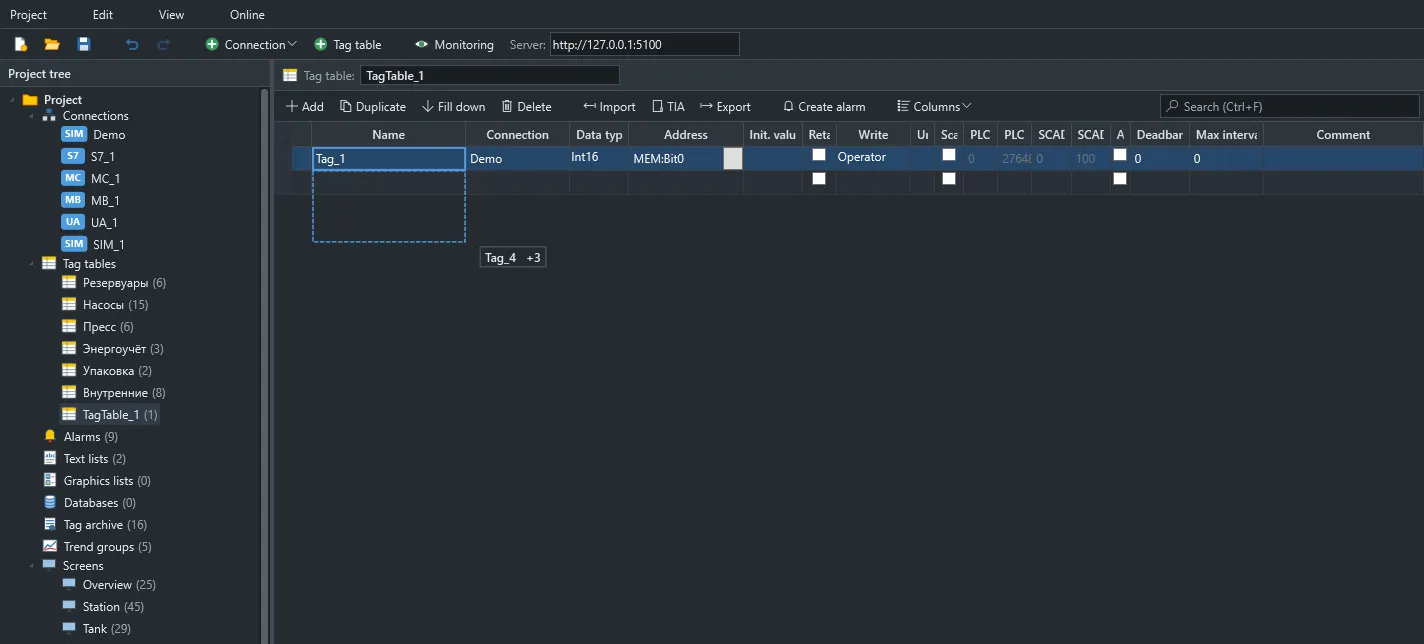
Section titled “Editing”- Drop-down lists open with one click.
- The fill handle copies cells downward.
- In Monitoring mode, the table shows live values and quality.
Find and replace
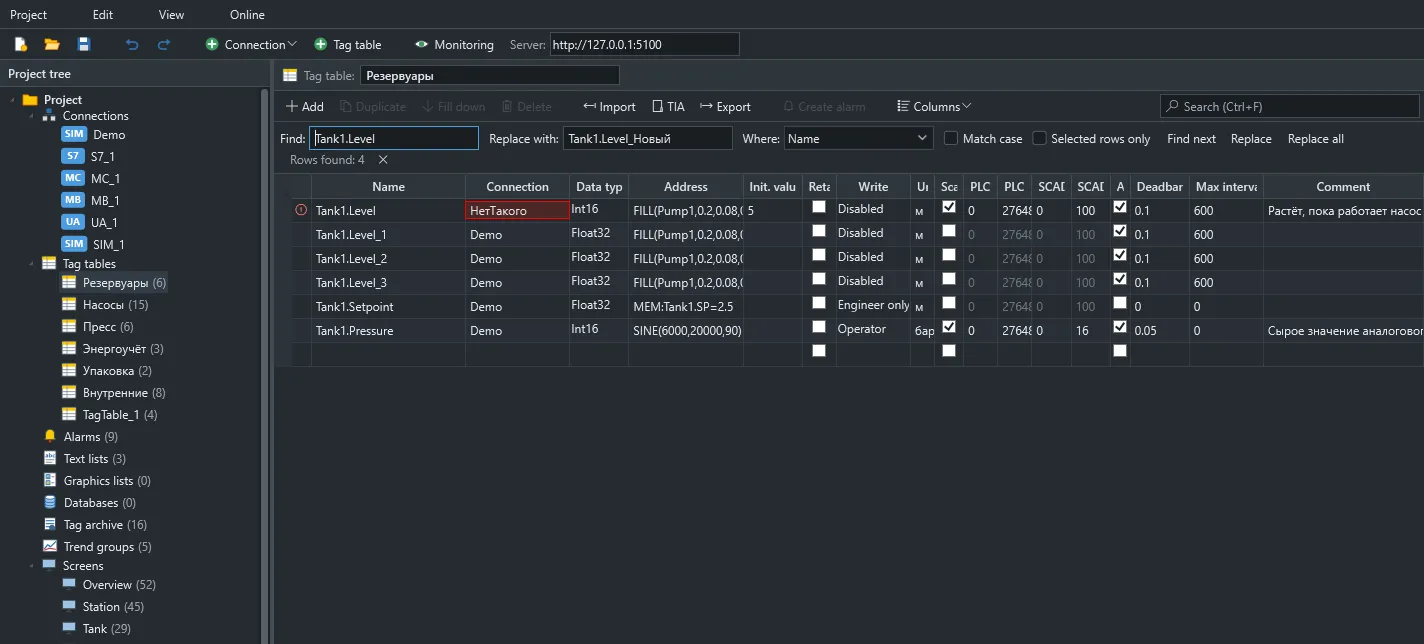
Section titled “Find and replace”Ctrl+H opens the replace bar: across all columns or one, case-sensitive if needed, or only in selected rows. If a new name is already taken, that row is skipped with a warning.
Renaming
Section titled “Renaming”Renaming a tag updates references across the project in one undo step: tag fields on screens and in genies, animations, trend pens, function parameters, alarms, tasks and literal Tags("Name") calls in scripts.
A genie instance parameter set to a prefix (Pump1 for %Tag%.Run) changes only if all Pump1.* tags changed that prefix the same way.
References stay as they are if the new name is held by another tag or the name cell is cleared. Names assembled in a script (pump + ".Run") must be fixed by hand. Fill-down and dragging do not move references.