
History and trends
History
Section titled “History”Turn on recording in a tag’s History column.
| Parameter | Meaning |
|---|---|
| Deadband | A value is written only if it changed by more than this |
| Maximum interval | Write at least this often, in seconds |
History is stored in segments under %ProgramData%\Scadora\history. Old segments are deleted whole.
"Historian": { "Path": "D:/ScadaData/history", "RetentionDays": 365, "FlushIntervalMs": 1000 }These settings are in the Scada section of appsettings.json.
Trends
Section titled “Trends”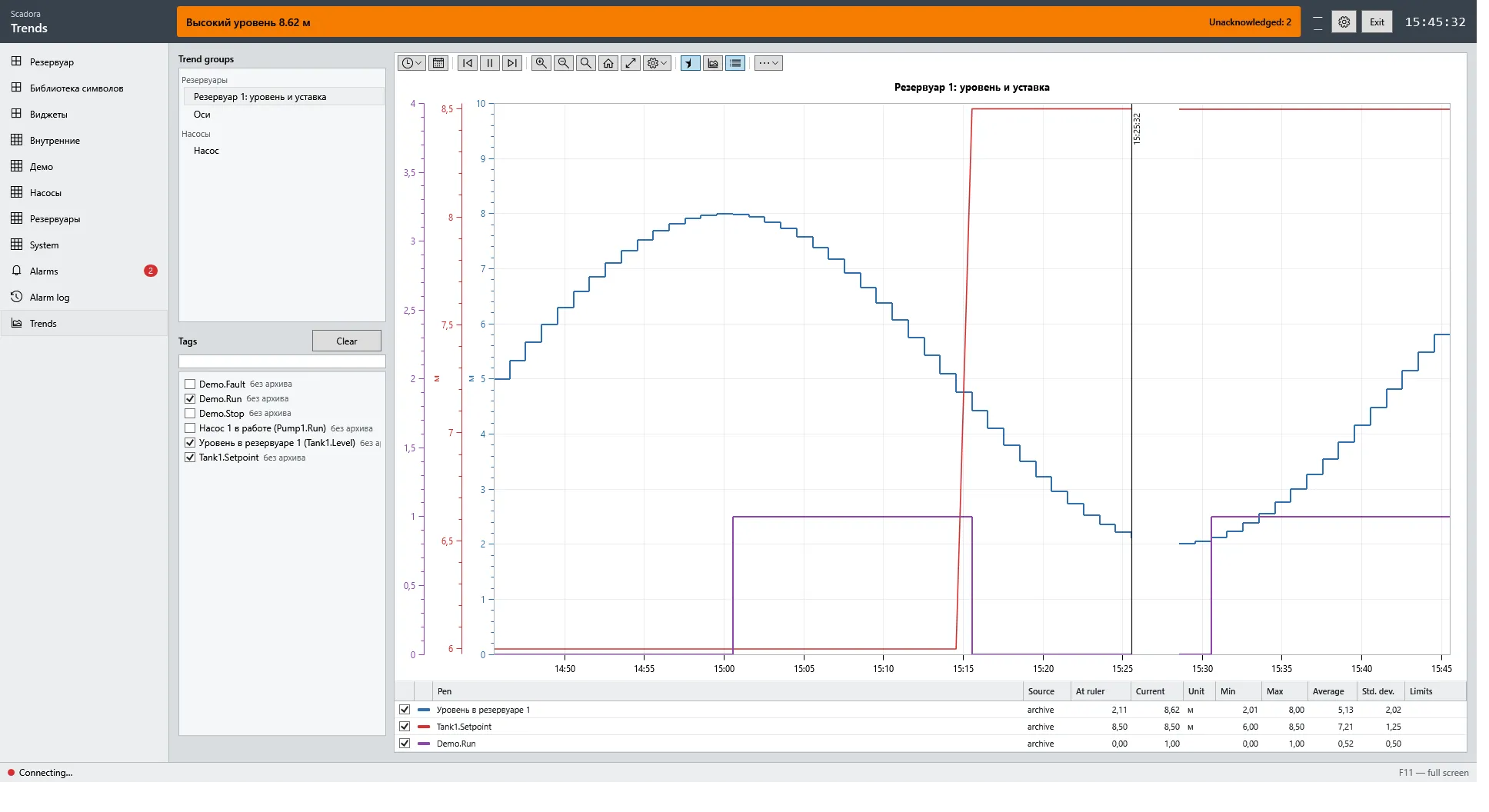
A trend group is a saved set of pens, axes and an interval. Groups are created in the editor and opened on the Trends page or with ShowTrendGroup.
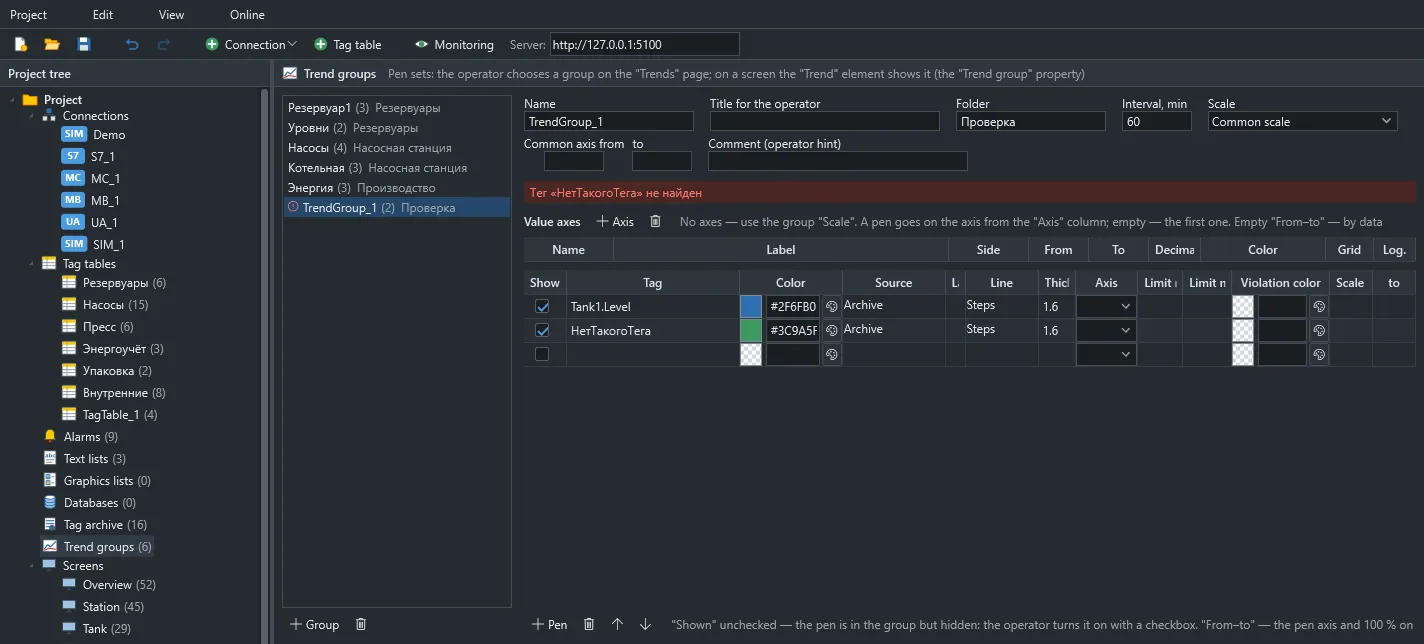
- Pens from history and live values.
- Multiple axes and a percent mode.
- Pen limits on the chart.
- Period selection, panning, zoom and pause.
- A pen table: current value, min, max, mean and deviation.
The Trend element shows the same thing directly on a screen.