
Siemens S7
S7-300, 400, 1200, 1500: bits, numbers, STRING, WSTRING, DTL and other time types.
SCADA for Windows
Scadora brings together a screen editor, a server with drivers, history, alarms, an operator station and a web HMI. A simple client-server layout with no infrastructure to configure.
A simplified model running in your browser: it shows how an operator screen behaves. No real server is involved.
What is inside
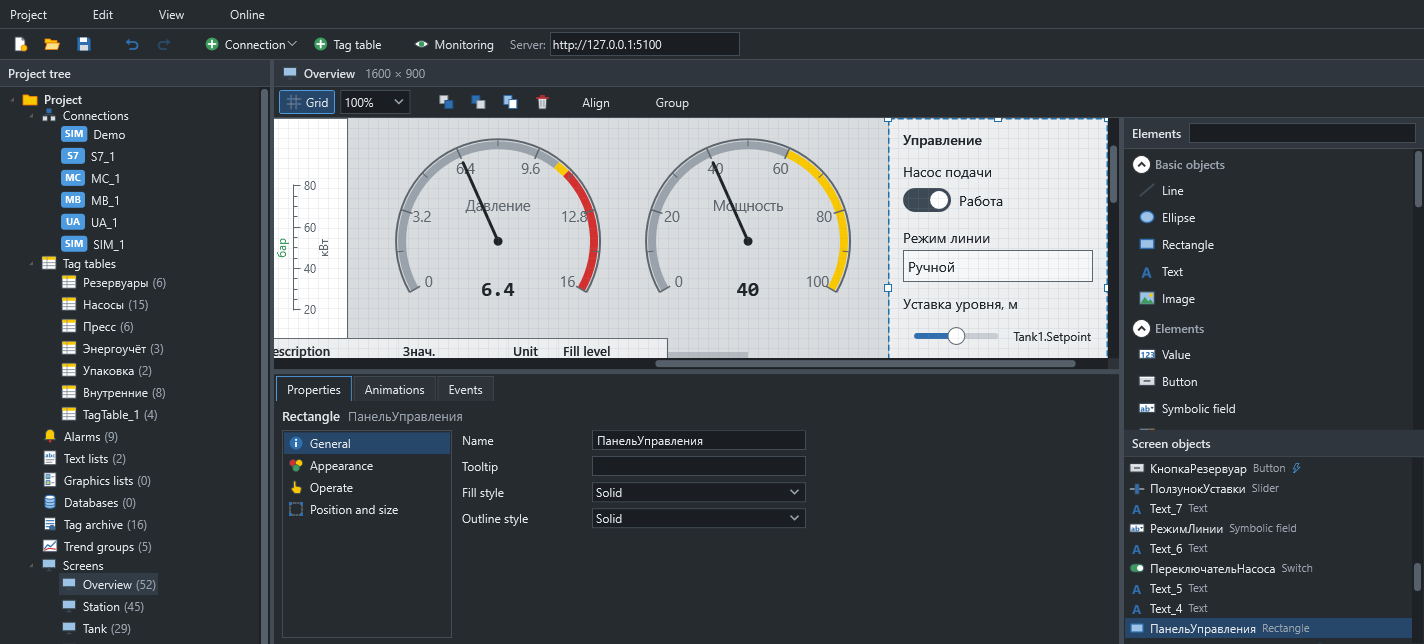
Project tree on the left, the screen in the middle, the inspector below and objects on the right. The project is validated as you work, and each error takes you straight to its source.
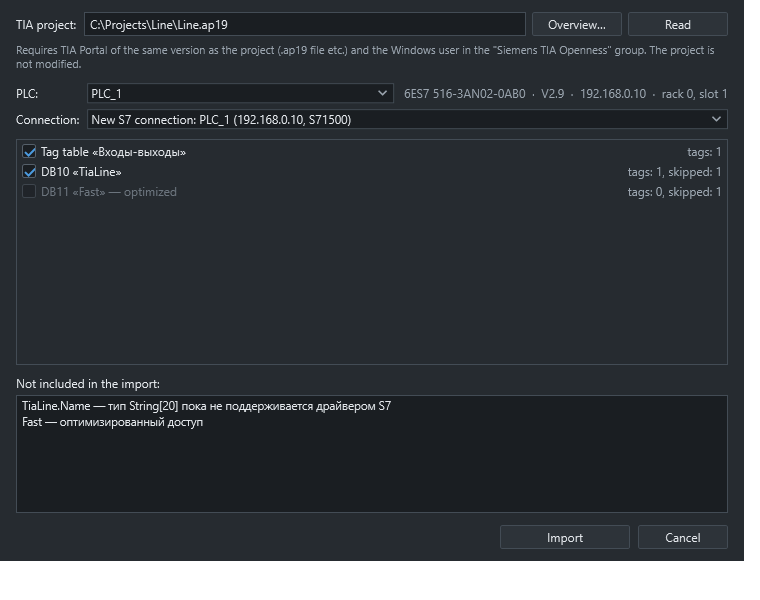
Point Scadora at a TIA Portal project folder. It reads the PLC, tag tables and data blocks, then creates an S7 connection with real addresses.
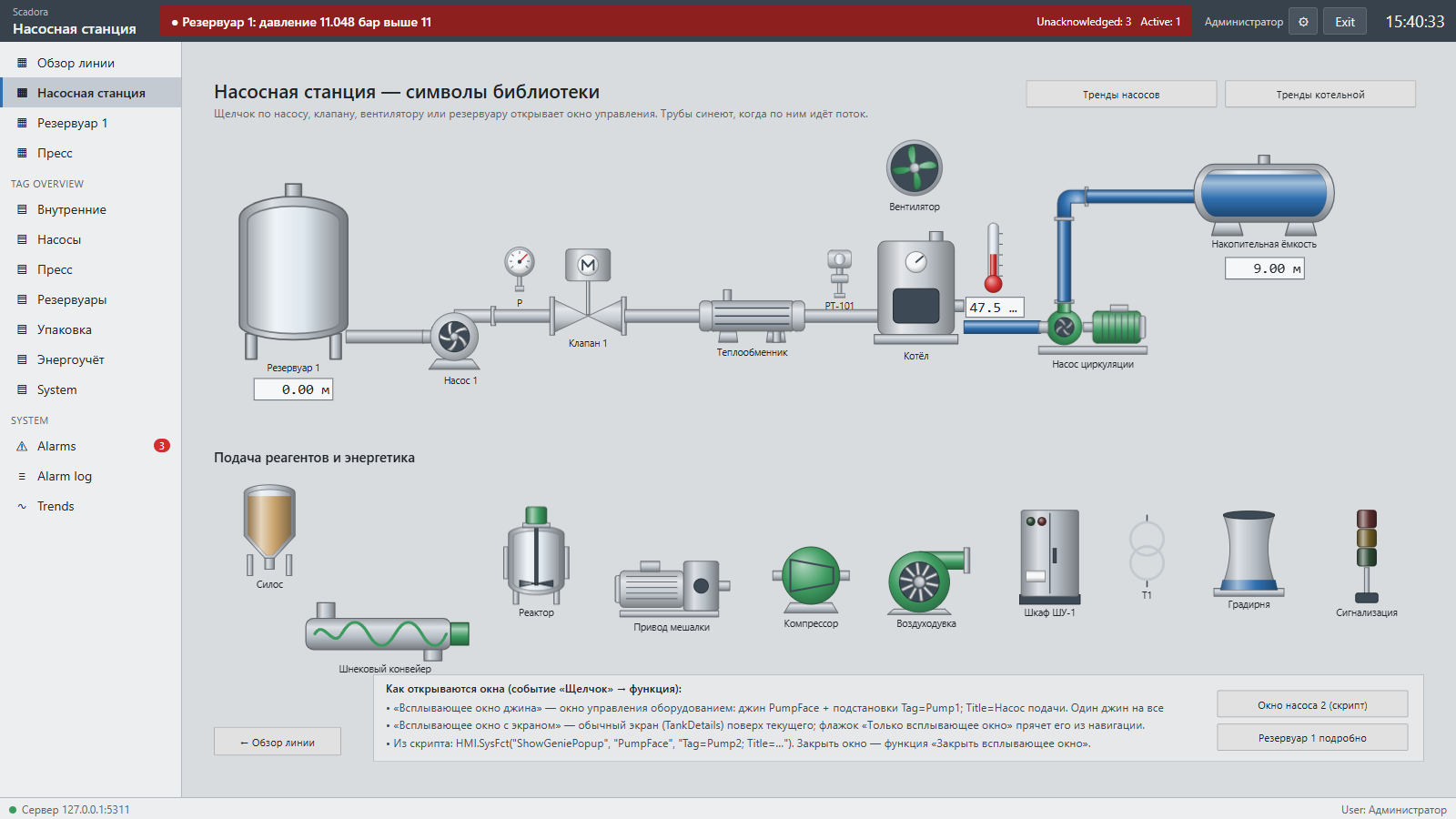
The same project opens in the ScadaHmi program and in a browser on a PC, tablet or phone. The browser option needs no installation on client machines.
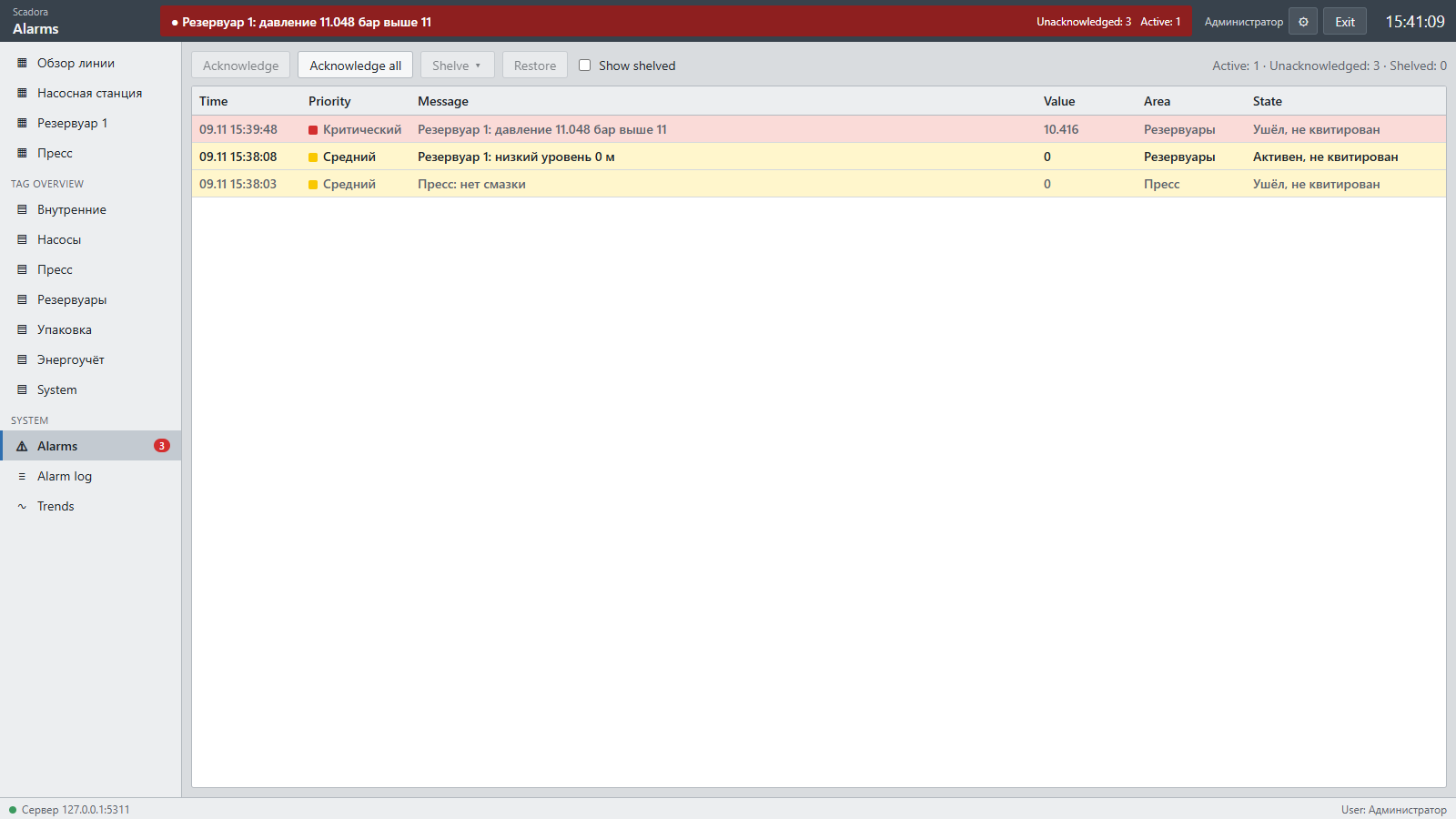
Limits as numbers or tags, deadband, on and off delays, four priorities, acknowledgement, shelving and a journal.
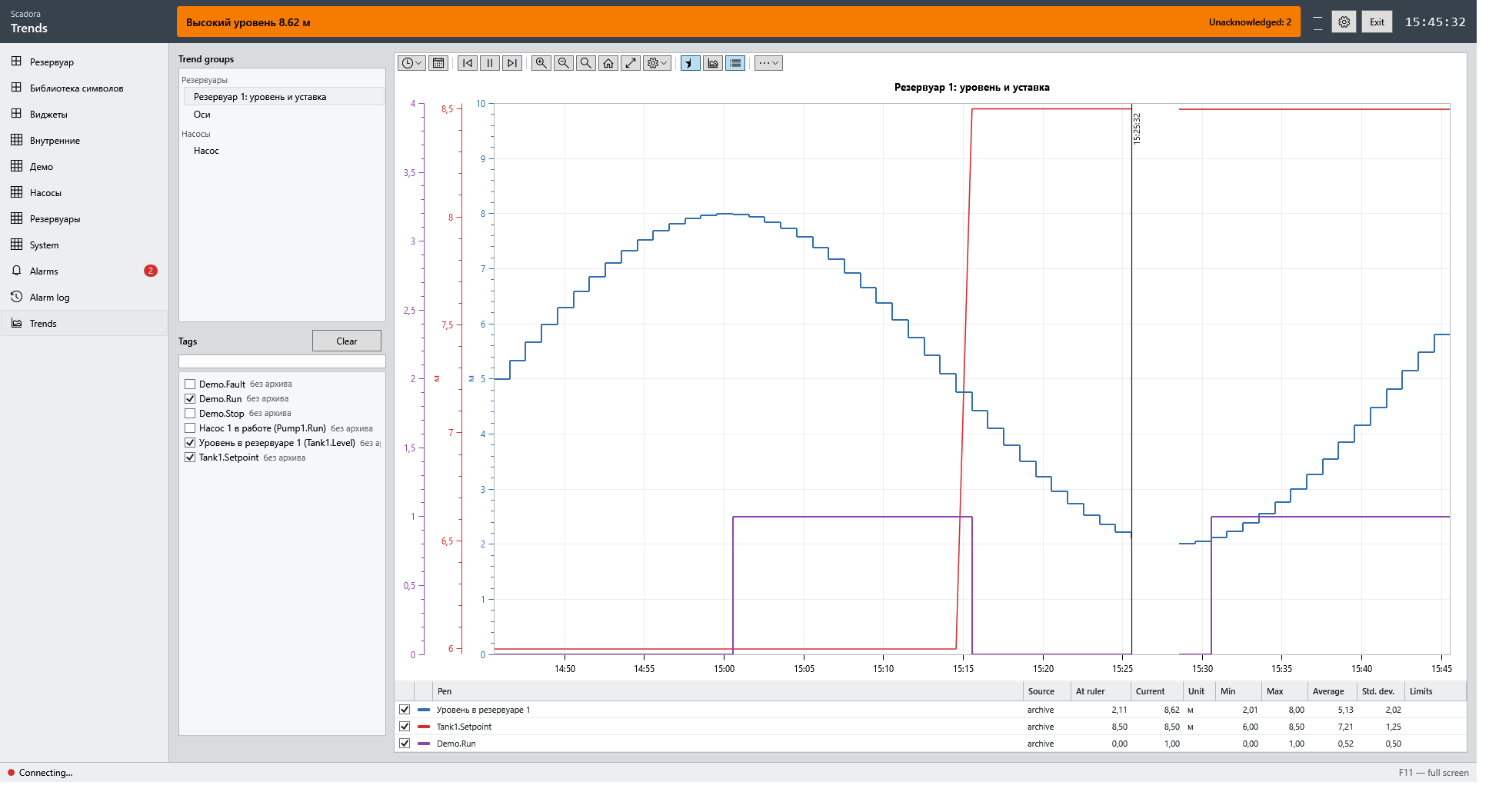
Recording by deadband and time. Trend groups, multiple axes, pen limits, period selection and analysis tools.
Simple actions are built from system functions. Everything else is a script, on the operator screen or on the server, with schedules, conditions, databases and files.
// serverscripts/Main.js — runs on the server
var starts = 0;

function onPumpStart() {
  starts++;
  Tags("Pump1.Starts").Write(starts);
  if (Tags("Tank1.Level").Value > 9)
    Tags("Pump1.Start").Write(false);
  Db.Execute("Journal",
    "INSERT INTO Events(Time, Text) VALUES(?, ?)",
    [Server.Now, "Pump start"]);
}
Connectivity
S7-300, 400, 1200, 1500: bits, numbers, STRING, WSTRING, DTL and other time types.
HR100 and 40001 notations, register bits, persistent or per-poll connections.
MC Protocol 3E frame: Q/L, iQ-R and iQ-F in compatibility mode.
NodeId addressing, the most secure policy is picked automatically.
Sine, ramp, random walk, tank filling: projects run without a PLC.
Server memory with values retained across restarts.
If you know WinCC or Citect
System functions are named as in WinCC: ActivateScreen, SetBit, IncreaseValue. Genies with %Tag% substitutions work as in Citect. Users and roles are independent of a Windows domain, and the server starts without certificates to configure.
Scadora is a young product under active development, and traffic between the server and clients is not encrypted at this time. Use it on an isolated plant network and test it on a bench before commissioning.
The installer sets up everything at once, and the demo project runs on a simulator, so no PLC is needed.
Go to downloads